Trying to write a novel but don’t know where to start? Want to plan your novel in a format that’s accessible and affordable but lack the specialist writing software, like Scrivener or FocusWriter?
There’s a way of planning your novel and keeping your notes together that can be tailored to you, and it’s probably already lurking on your laptop. It’s simple, easy to use, and probably something you’ve at least dabbled with before. Forget everything you know about Microsoft Excel, and start seeing it as a way to plan your plot, map out your characters, and weed out continuity issues as you go.
Trust me. If you like being organised, Microsoft Excel might become your new best friend.
And as it’s that time again for me – the start of another story – what better time for us to go through how to plan a novel in Microsoft Excel and set up a spreadsheet together. Novel four is on the horizon, and I’m starting to plan.
Over the last three books, I’ve seen a shift in how I prepare and edit stories. When I began Composite Creatures, I really didn’t know what I was doing. I wrote bullet points on a page of A4 and that was it. With Mothtown, I didn’t plan at all, and really leaned into the ‘gardener’ style of writing (it was very, very messy). With novel three (which I can’t talk about yet), I went full ‘architect’, and completed the entire thing in about half the time it took me to write the others. And because I had such comprehensive notes, it made editing easier, because I had everything I needed mapped out.
Nowadays, I have even less time than before to dedicate to writing every day (blame sprog 1 and sprog 2), and efficiency is key to making things happen. I don’t have the time to rifle through pages of notes or books of scribbled ideas. So, I’m trying the same method again.
Fancy joining me?
How to plan a novel in Microsoft Excel
Firstly, this is going to be a very simple guide.
You don’t need to start revising formulas or pivot tables in order to plan your novel in Microsoft Excel. In fact, you barely need to know anything other than how to make the thing look pretty. If your knowledge of Excel exceeds mine (which it probably does, because I’m not that great at it), you could probably do all sorts of clever, wizardy things. But the important thing is to include as much as you can, in a way that you can navigate it easily.
I’ll show you mine.

Set up your Sheets
I dedicated each ‘sheet’ to an area I need to plan. You can see a few that I’ve started along the bottom here:
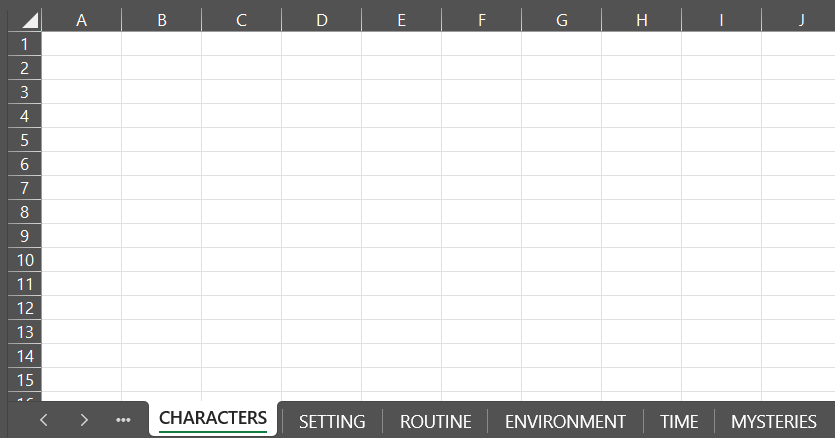
I’m keeping them super vague here, but a good starting point for a series of sheets to fill in would be:
- Chapters
- Who is my protagonist?
- Characters
- Setting
- Routine
- Environment
- Themes
- Mysteries
- Blurb notes
How you set up each of these is up to you, but here are a few examples of how I do them.
Sheet example 1: Chapter plan

Sheet example 2: Designing your protagonist
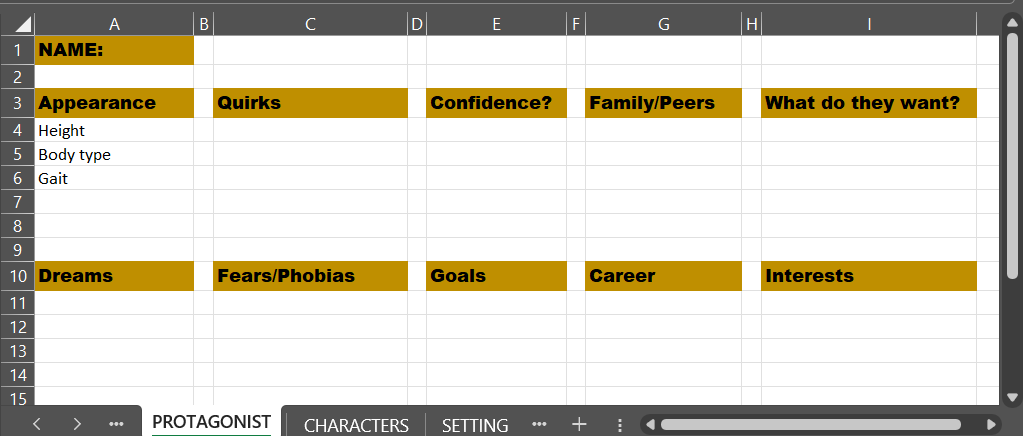
Sheet example 3: Mapping your secondary characters
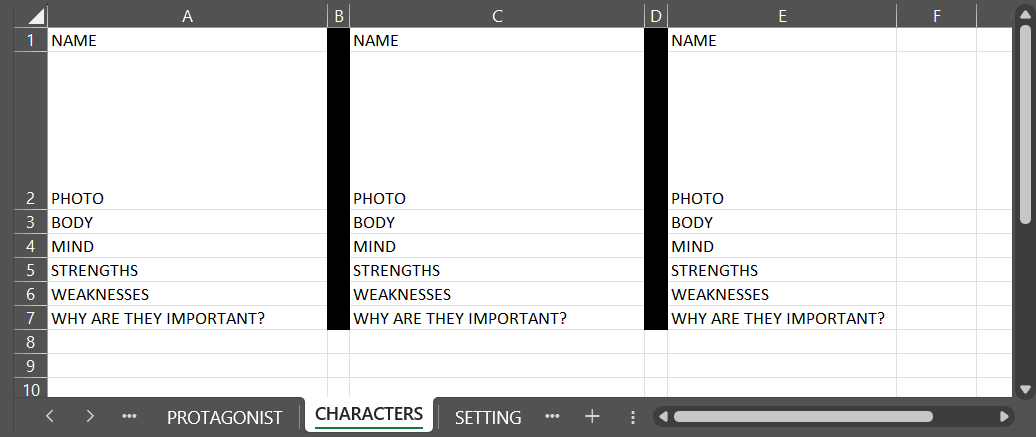
These probably look hugely simplistic, and the truth is, they are! But as you start filling in the pages, you start to see a wealth of information come together in one place.
Update your Microsoft Excel novel plan as you go
The most important thing is to keep updating your plan as you write. If you mention a character’s eye colour, note it down for when you mention it again. Edit your chapter summaries as you go so you can easily go back and find the plot point you’re looking for.
Your Excel plan is your place to dump EVERYTHING you’ve decided about your characters and story.
Don’t shy away from adding more sheets too. With my last novel, I added a sheet for ‘time lapses’, as the characters refer to time in usual ways, and I needed to keep this straight in my head. Similarly, their world contains a lot of rituals, so I noted those down too, so they could become as law-like to me as they were to the characters.
Upload your Microsoft Excel novel plan to the cloud
This isn’t an essential, but I find it really handy to be able to see my plan from my phone if I have to, wherever I am. This might not suit you if you like to compartmentalise life, but at the moment I have to grasp at the smallest snippets of time and make them work for me.
If you’re not keen on doing this, at least back up your document. The last thing you need is for it to go missing when you’re halfway through a draft!
Benefits of using Microsoft Excel to plan a novel
Using Microsoft Excel to plan your novel is an efficient, tight way of keeping all your notes in one place. No longer will you have to rifle through piles of notebooks for the right scribbled idea, or search through pages of character descriptions to find out what colour hair Bob or Geraldine has.
Furthermore, if you upload your plan to an online drive, you’ll be able to access it on the go – so when you suddenly untangle a plot-knot in the middle of a bus journey, you can open up your plan and record it there in your chapter plan.
Of course, this method isn’t for everyone. You might look at all those cells and simply shudder. But for many, Microsoft Excel is a simple and faff-free way of recording novel notes without investing in more expensive software that might not work for you.
Ready to use Microsoft Excel to plan your novel?
I’ve put it so simply here, but that was intentional. You can make your novel plan as basic or as complicated as you like – it’s your brain dump after all. The most vital aspect of this method is that you update your plan as much as you update your manuscript.
Looking for more tips on how to write a novel, plan your second draft, or how to build and write compelling characters? My guide to being a writer explore lots of these questions and gives answers in as simple a way as possible.

 Caroline Hardaker Author